Based on the research gathered some low fidelity wireframes were produced in order to try and alleviate some of the pain points in the current Joomla design.
Home Page

Main Focuses
- Widgitized home page to allow customisation
- More graphical to make page less daunting including
- Left side menu only featuring key sections. Sub sections appear on left menu once accessed.
Article List

Main Focus
- Stand Out Publishing Button
- Featured Article Highlights
- Clear Icons for tasks including Preview Icon
- Switch between this view and existing list view
Article Create/Edit Page
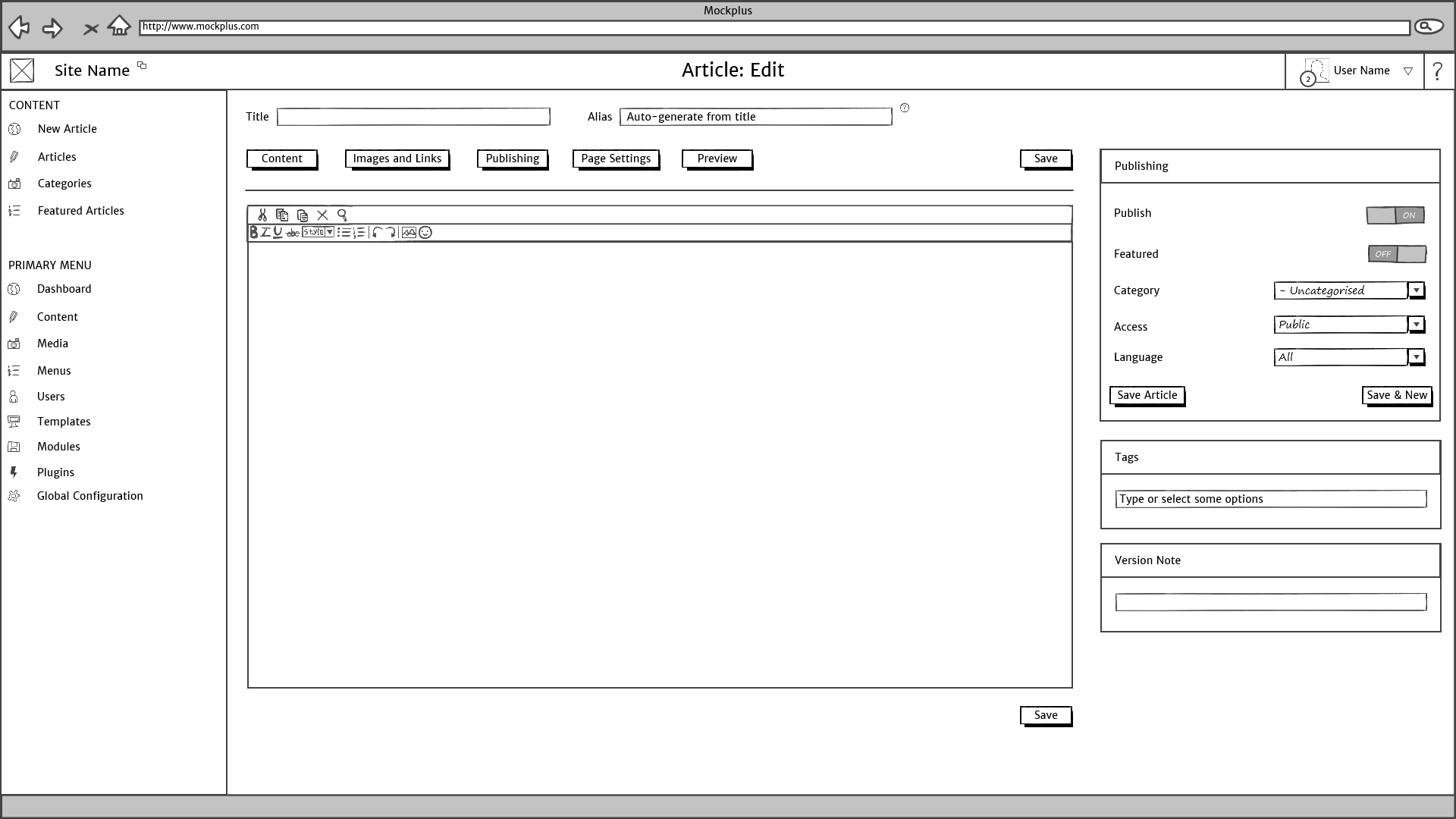
Main Focus
- Stand Out Tab buttons
- Publishing features set on right. Ordered in ‘step-by-step’ fashion to complete publishing of article
- Save placed in multiple places (to be investigated on best position)
- Help button on Alias to give explination on what it means
Menu List

Menu Item List

Menu Item Creation/Edit

Main Focus
- Key Tasks placed on right section in order for menu item to be created and activated succesfully.
Template List

Main Focus
- Add new template added within template section
- Default clearly shown through default box.
Completed Template Install

Main Focus
- Ability to set as default and preview template directly after install
Module list

Module Modification

Main Focus
- Key Tasks placed on right section in order for module to be activated succesfully on site.
- Position seperated into two drop downs, template and position on template.
Full Wireframe
The full wireframe can be downloaded on the links below